
Saved Card Payments
Direct Payments & Saved Cards (Embedded) allow users to complete payments directly within your app or website without redirection, ensuring a seamless checkout experience. It also enables secure storage of card details via tokenization, allowing faster and convenient repeat transactions.
API Endpoints
All merchant-authenticated endpoints share the same wire format: encrypted data payload + accessCode header.
Sandbox Base URL
Below Checkout API strictly for sandbox testing only. Never use these sandbox URLs in production.
Production Base URL
Use the following Checkout API strictly for production transactions.
API Reference
Create Customer
Create the customer the saved card will belong to
Checkout / Verify Card
For both first-time checkout and verifying new card details before saving
Charge Card
Charge a previously saved card_id server-to-server
List Saved Cards
List a customer's reusable saved cards
Remove Saved Card
Remove a saved card (Deletes the MPGS token too)
Prerequisites
- Direct Payment (MPGS) must be enabled on your Hesabe account.
Enable Direct Payment
Contact Hesabe support to enable the Direct Payment (MPGS) feature on your merchant account.
Implementation Steps
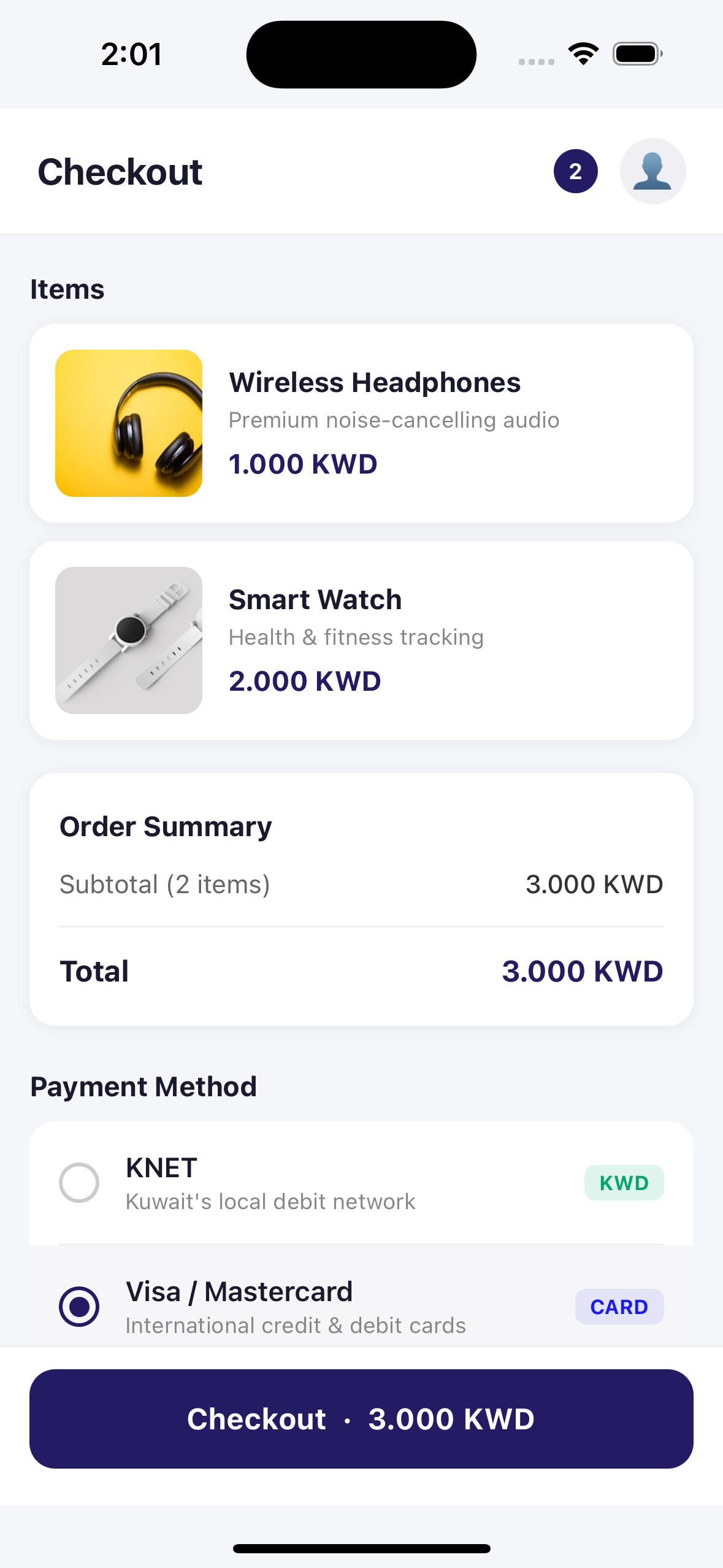
Refere API Details
Card Payments & Saved Cards
You can follow the API Integration Setup guide to get started.
Create a Customer
If the customer does not already have a Hesabe Customer ID, create one first.
Sandbox URL
Below Checkout API strictly for sandbox testing only. Never use these sandbox URLs in production.
Production URL
Use the following Checkout API strictly for production transactions.
POST /api/direct-payment/customer{
"name": "Ahmed Al-Mansouri",
"email": "ahmed@example.com",
"mobile_number": "+96512345678",
"customer_id": "YOUR_INTERNAL_USER_ID"
}Important Note
Store the returned customer_id from the response — you will pass it when creating the checkout session.
For first time checkout
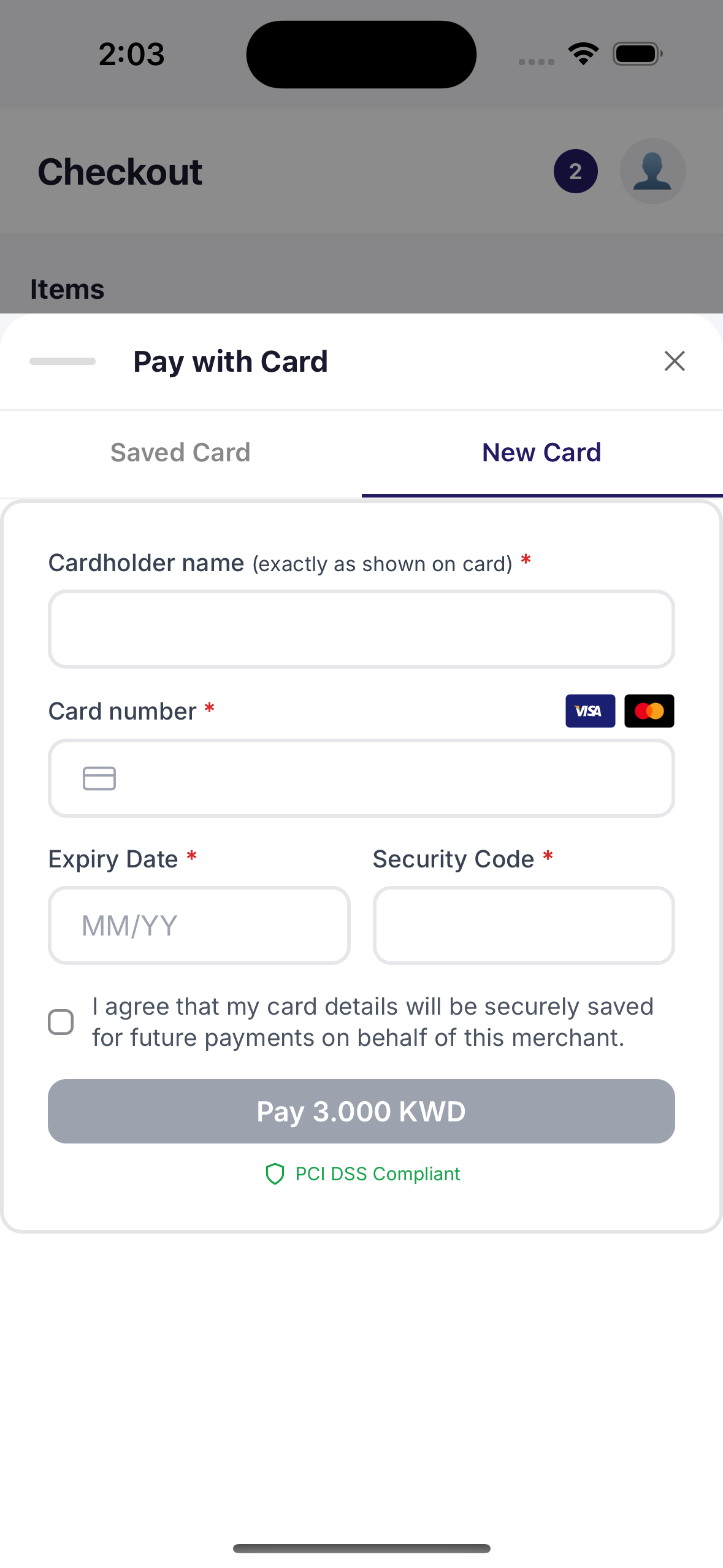
Pre-requisites Setup
You can follow the Checkout Setup guide to get started.
Hesabe Request Handler
You can follow the Hesabe Request Handler guide to get started.
Sandbox Checkout API
Below Checkout API strictly for sandbox testing only. Never use these sandbox URLs in production.
Production Checkout API
Use the following Checkout API strictly for production transactions.
Encrypt the following JSON payload with your merchant key and send it as the data parameter:
{
  "merchantCode": "YOUR_MERCHANT_CODE",
  "amount": "20.000",
  "currency": "KWD",
  "saveCard": true,  // Pass `true` to display a checkbox in the form, allowing the user to save the card
  "customer_id": 42, // Provide the `customer_id` if you want to save the card details.
  "responseUrl": "https://sandbox.hesabe.com/customer-response?id=842217", // Change to your response URL
  "failureUrl": "https://sandbox.hesabe.com/customer-response?id=842217", // Change to your failure URL
  "variable1": "signup_flow",
  "version": "3.0",
  "channel": "mobile"
}
Key fields
| Field | Type | Required | Description |
|---|---|---|---|
amount | Numeric | Yes | Actual Checkout amount must be more than zero |
saveCard | Boolean | Yes | Must be true if you want to show checkbox to save a card if user comes first time |
customer_id | Integer | Yes | Hesabe Customer ID. The saved card is attached to this customer |
currency | String | Yes | ISO currency code (e.g. KWD) |
responseUrl | URL | Yes | Redirect URL after successful verification |
failureUrl | URL | Yes | Redirect URL if verification or 3DS fails |
variable1–5 | Alphanumeric | No | Custom parameters returned as-is in the callback |
version | Numeric | Yes | Must be 3.0 |
channel | String | Yes | Must be mobile |
The response will include a ready-to-use webviewUrl:
// Sandbox response

{
  "status": true,
  "response": {
    "data": "<encrypted_payload>",
    "webviewUrl": "https://sandbox.hesabe.com/pay/webview?data=<encrypted_payload>"
  }
}
Navigation listener / Transaction result data
To get transaction results
Listen your navigation state change (responseUrl / failureUrl) and get the decrypted result data from that URL
const onNavigationStateChange = (navState) => {
  const url = navState.url;
  if (url && url.includes('https://sandbox.hesabe.com/customer-response?id=842217')) {
    closeWebView();  // close the web view page
    const parts = url.split('data='); // get the decrypted result data form the `responseUrl` or `failureUrl`
    if (parts[1]) {
      navigation.navigate('TransactionResult', {
        resultdata: parts[1]. // Navigate to result page with transaction data
      });
    }
  }
};
To save new card details / Initiate a VERIFY session
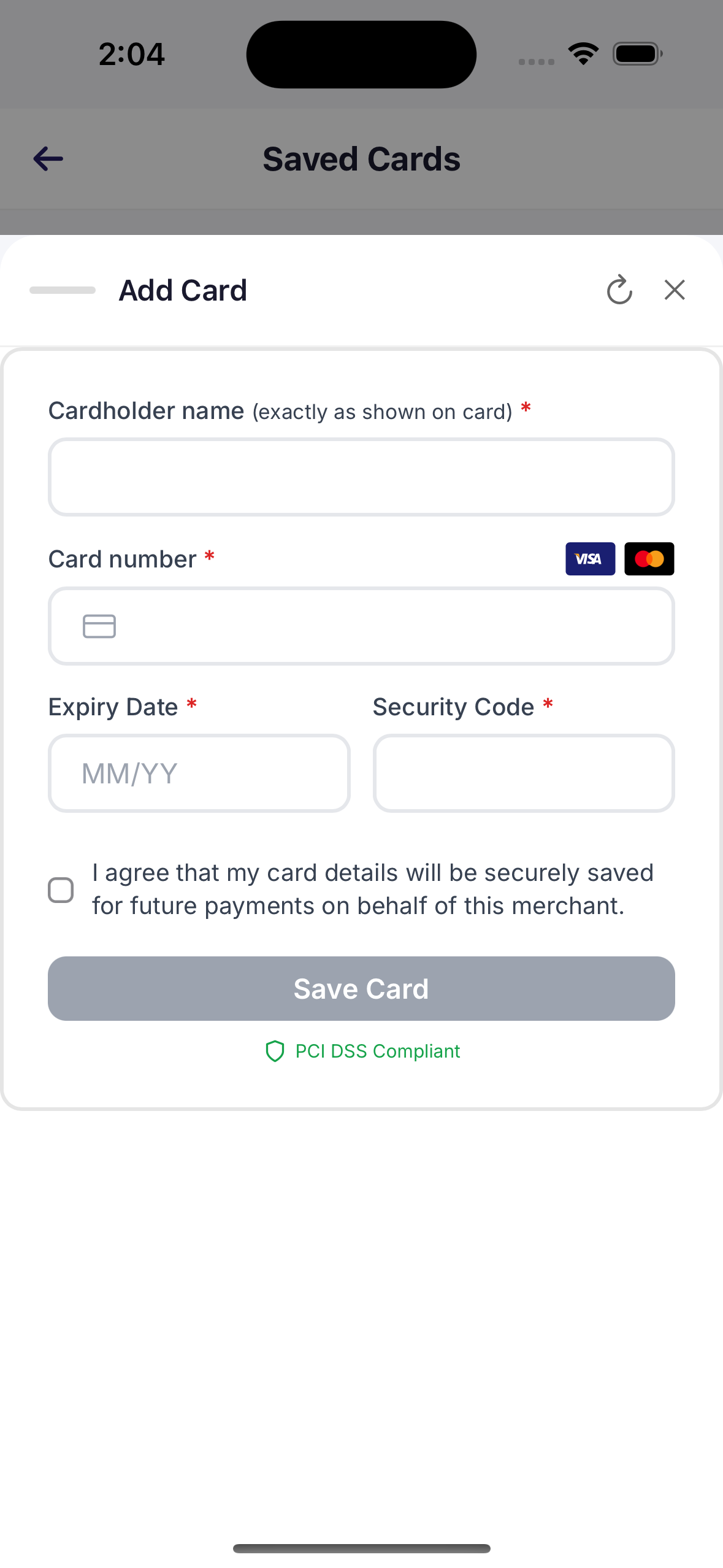
Call the standard Hesabe Checkout endpoint with amount = 0.000 and saveCard = true. The customer’s card will be authenticated and securely saved, and no charges will be made.
Sandbox Checkout API
Below Checkout API strictly for sandbox testing only. Never use these sandbox URLs in production.
Production Checkout API
Use the following Checkout API strictly for production transactions.
Encrypt the following JSON payload with your merchant key and send it as the data parameter:
{
  "merchantCode": "YOUR_MERCHANT_CODE",
  "amount": "0.000",  // Must be "0.000 to verify the card"
  "currency": "KWD",
  "saveCard": true,  //  Pass `true` to display a checkbox in the form, allowing the user to save the card
  "customer_id": 42, // Provide the `customer_id` if you want to save the card details.
  "responseUrl": "https://yoursite.com/payment/callback",
  "failureUrl": "https://yoursite.com/payment/failed",
  "variable1": "signup_flow",
  "version": "3.0",
  "channel": "mobile"
}
Key fields
| Field | Type | Required | Description |
|---|---|---|---|
amount | Numeric | Yes | Must be exactly 0.000 — triggers the VERIFY flow |
saveCard | Boolean | Yes | Must be true together with amount=0 |
customer_id | Integer | Yes | Hesabe Customer ID. The saved card is attached to this customer |
currency | String | Yes | ISO currency code (e.g. KWD) |
responseUrl | URL | Yes | Redirect URL after successful verification |
failureUrl | URL | Yes | Redirect URL if verification or 3DS fails |
variable1–5 | Alphanumeric | No | Custom parameters returned as-is in the callback |
version | Numeric | Yes | Must be 3.0 |
channel | String | Yes | Must be mobile |
What the customer sees
The hosted payment form shows a "Save Card" button instead of the usual "Pay X KWD". The amount line is hidden and the saved-card list is suppressed — the customer always enters a new card.
Behind the scenes: Hesabe uses MPGS non-payment authentication (purpose = ADD_CARD) so the issuer knows no funds will be moved. You don't need to do anything special.
// Sandbox response

{
  "status": true,
  "response": {
    "data": "<encrypted_payload>",
    "webviewUrl": "https://sandbox.hesabe.com/pay/webview?data=<encrypted_payload>"
  }
}
To get result data for VERIFIED session
Follow the same code structure from Step 4 to handle navigation state changes and extract the result data from the WebView URL.
Handle the VERIFY Callback
After the customer completes (or abandons) the VERIFY flow, Hesabe redirects to your responseUrl (success) or failureUrl (failure) with an encrypted data query parameter.
https://yoursite.com/payment/callback?data=ENCRYPTED_PAYLOADDecrypt data using your merchant key and IV.
{
  "status": true,
  "code": 1,
  "message": "Card Verified",
  "response": {
    "resultCode": "VERIFIED",
    "amount": "0.000",
    "currency": "KWD",
    "paymentToken": "MERCH20250426abc123",
    "paymentId": null,
    "paidOn": "2025-04-26 14:32:01",
    "orderReferenceNumber": "signup_flow",
    "trackID": 1270310,
    "transactionId": "MERCH20250426abc123_PAY",
    "variable1": "signup_flow",
    "customer": {
      "Name": "Ahmed Al-Mansouri",
      "Email": "ahmed@example.com",
      "Mobile": "+96512345678",
      "CardNumber": "512345xxxxxx0008",
      "CardType": "MASTERCARD"
    },
    "cardId": 77
  }
}Store the 'cardId' information
response.cardId is the Hesabe Card ID for the saved card.
Store this value - you will use it to charge the customer later.
Response fields
| Field | Description |
|---|---|
status | true = card saved successfully, false = failed |
cardId | ID of the newly saved card. null on failure |
paymentToken | Token for this VERIFY transaction |
trackID | Hesabe internal track ID |
Iframe SDK Mode (alternative)
If you are embedding the Hesabe payment iframe via the JavaScript SDK, the verify result is delivered as a payment-success / payment-error event — not as a redirect.
{
  "status": true,
  "message": "Card Verified",
  "response": {
    "redirect_url": "https://hesabe.com/checkout-response/...",
    "data": {
      "amount": "0.000",
      "paymentToken": "MERCH20250426abc123",
      "resultCode": "VERIFIED",
      "currency": "KWD",
      "paidOn": "2025-04-26 14:32:01",
      "encryptedData": "BASE64_ENCRYPTED_PAYLOAD"
    }
  }
}| Field | Description |
|---|---|
data.resultCode | "VERIFIED" for verify-only orders (vs "CAPTURED" for paid orders) |
data.encryptedData | Encrypted blob containing cardId, full customer info, masked card number, etc. |
data.redirect_url | The URL the redirect-mode flow would have sent the customer to |
cardId is not in plaintext in iframe mode
cardId is intentionally omitted from the top-level iframe response. Decrypt encryptedData on your backend (same algorithm as redirect-mode) to extract cardId and card metadata. Never decrypt it in the browser.
After decryption, the JSON matches the redirect-mode success response — same cardId, customer block, and paymentToken.
Charge the Saved Card
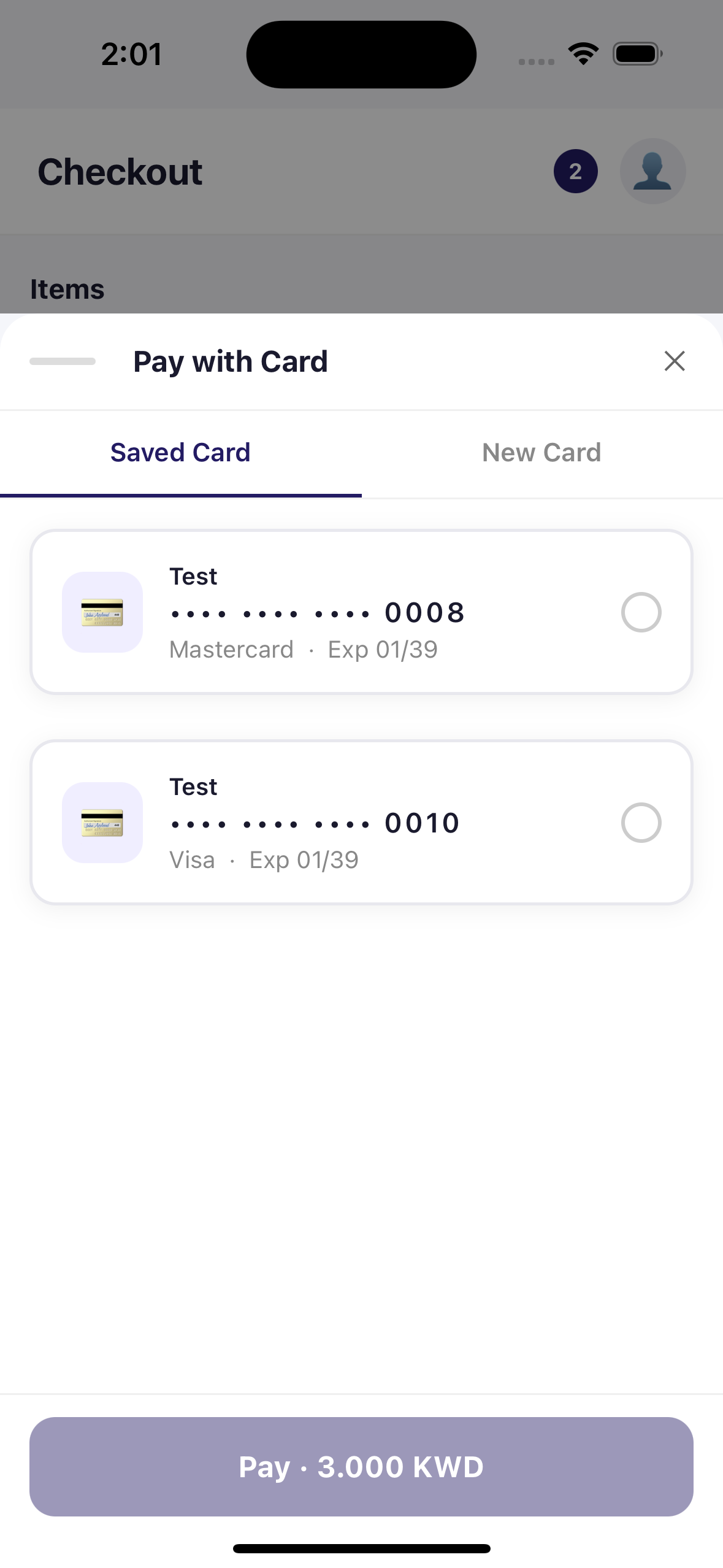
Once you have a cardId, charge the card at any time from your backend — no customer interaction required.
Server-side only
Never call this endpoint from a browser or mobile client. Your accessCode must stay private.
Sandbox Base URL
Below Checkout API strictly for sandbox testing only. Never use these sandbox URLs in production.
Production URL
Use the following Checkout API strictly for production transactions.
Endpoint
POST /api/direct-payment/charge-cardAuthentication headers
| Header | Value |
|---|---|
accessCode | Your merchant UUID (36 characters) |
Content-Type | application/json |
Request payload (before encryption)
{
  "merchantCode": "YOUR_MERCHANT_CODE",
  "card_id": 77,
  "customer_id": 42,
  "amount": "9.900",
  "order_reference": "INVOICE-2025-001"
}| Field | Type | Required | Description |
|---|---|---|---|
merchantCode | String | Yes | Your Hesabe merchant code |
card_id | Integer | Yes | The cardId returned from VERIFY |
customer_id | Integer | No | When provided, the request is rejected if the card does not belong to this customer |
amount | Numeric | Yes | Amount in KWD (must be > 0) |
order_reference | String | No | Your internal order / invoice ID |
Encrypted request example
POST /api/direct-payment/charge-card
accessCode: xxxxxxxx-xxxx-xxxx-xxxx-xxxxxxxxxxxx
Content-Type: application/json

{
  "data": "ENCRYPTED_PAYLOAD"
}{
"status": true,
"code": 200,
"message": "Payment successful",
"response": {
"resultCode": "CAPTURED",
"amount": "9.900",
"currency": "KWD",
"paymentToken": "MERCH20250426xyz789",
"paymentId": "80123456",
"paidOn": "2025-04-26 14:32:01",
"orderReferenceNumber": "INVOICE-2025-001",
"auth": "123456",
"trackID": 1270311,
"transactionId": "MERCH20250426xyz789_PAY",
"customer": {
"Name": "Ahmed Al-Mansouri",
"Email": "ahmed@example.com",
"Mobile": "+96512345678",
"NameOnCard": "AHMED AL-MANSOURI",
"CardNumber": "512345xxxxxx0008",
"CardType": "MASTERCARD"
},
"cardId": 77
}
}Response fields
| Field | Description |
|---|---|
status | true = charged successfully |
response.resultCode | CAPTURED on success, DECLINED or similar on failure |
response.amount | Amount charged in KWD |
response.paymentToken | Hesabe token for this charge transaction |
response.transactionId | MPGS transaction ID |
response.paymentId | Bank receipt / reference number |
response.cardId | The card_id that was charged |
response.customer | Customer name, email, mobile, and masked card info |
Manage Saved Cards
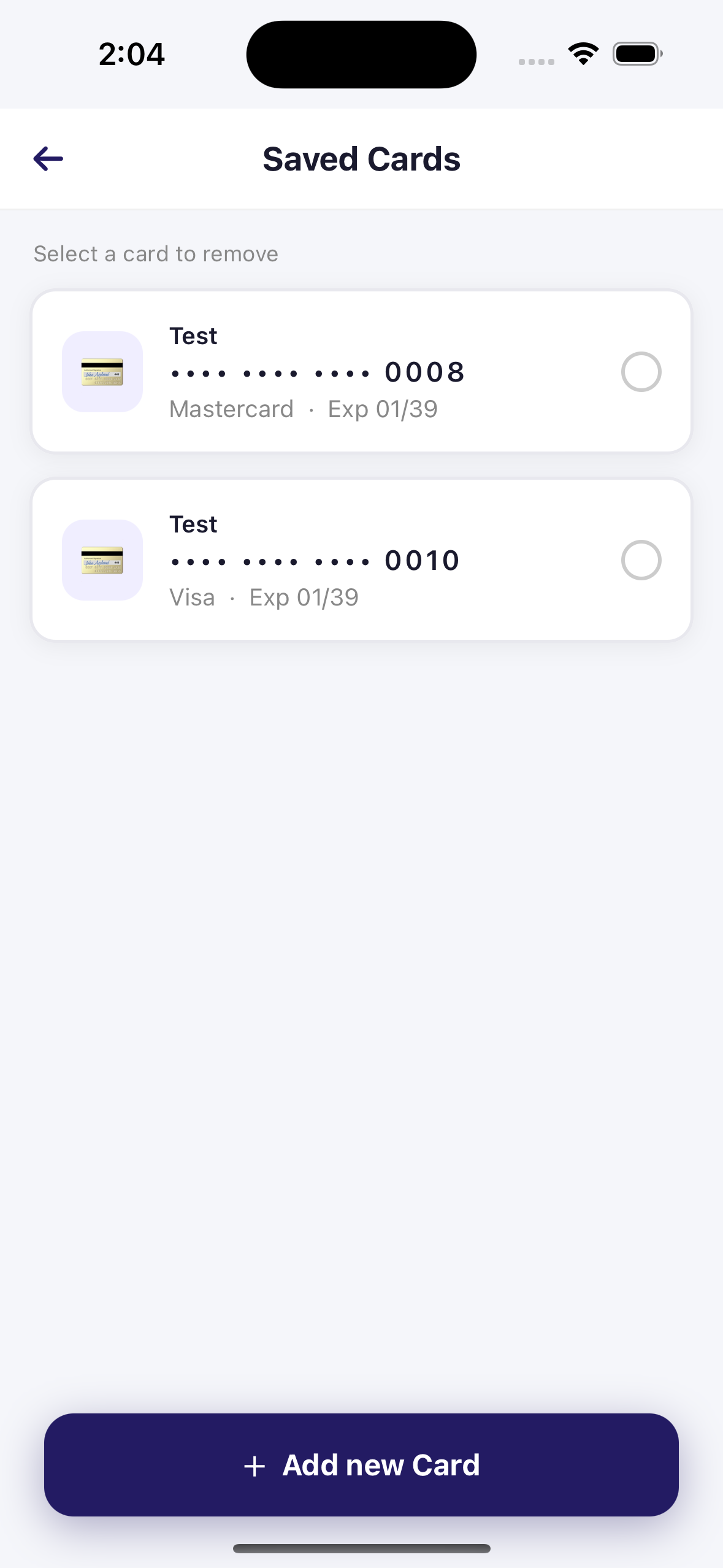
Two helper endpoints let you list and remove a customer's saved cards from your backend. Both use the same encrypted data payload + accessCode header authentication as Charge Card.
List a customer's saved cards
Sandbox URL
Below Checkout API strictly for sandbox testing only. Never use these sandbox URLs in production.
Production URL
Use the following Checkout API strictly for production transactions.
GET /api/direct-payment/cards?data=ENCRYPTED_PAYLOADPayload (before encryption)
{
  "merchantCode": "YOUR_MERCHANT_CODE",
  "customer_id": 42
}| Field | Type | Required | Description |
|---|---|---|---|
merchantCode | String | Yes | Your Hesabe merchant code |
customer_id | Integer | Yes | Hesabe Customer ID |
Only cards usable in Charge Card are returned: MPGS-only, status = active, with a stored token, 3DS metadata, and not yet expired.
Success response
{
  "status": true,
  "code": 200,
  "message": "Customer cards fetched successfully",
  "response": {
    "cards": [
      {
        "card_id": 77,
        "card_number": "****0008",
        "expiry_month": "01",
        "expiry_year": "39",
        "brand": "MASTERCARD",
        "name_on_card": "AHMED AL-MANSOURI"
      },
      {
        "card_id": 92,
        "card_number": "****4242",
        "expiry_month": "06",
        "expiry_year": "28",
        "brand": "VISA",
        "name_on_card": "AHMED AL-MANSOURI"
      }
    ]
  }
}
card_id is the same integer returned by VERIFY and accepted by Charge Card.
If the customer doesn't belong to your merchant, the customer is inactive, or customer_id is missing / invalid, the response is Invalid Request Data with HTTP 400.
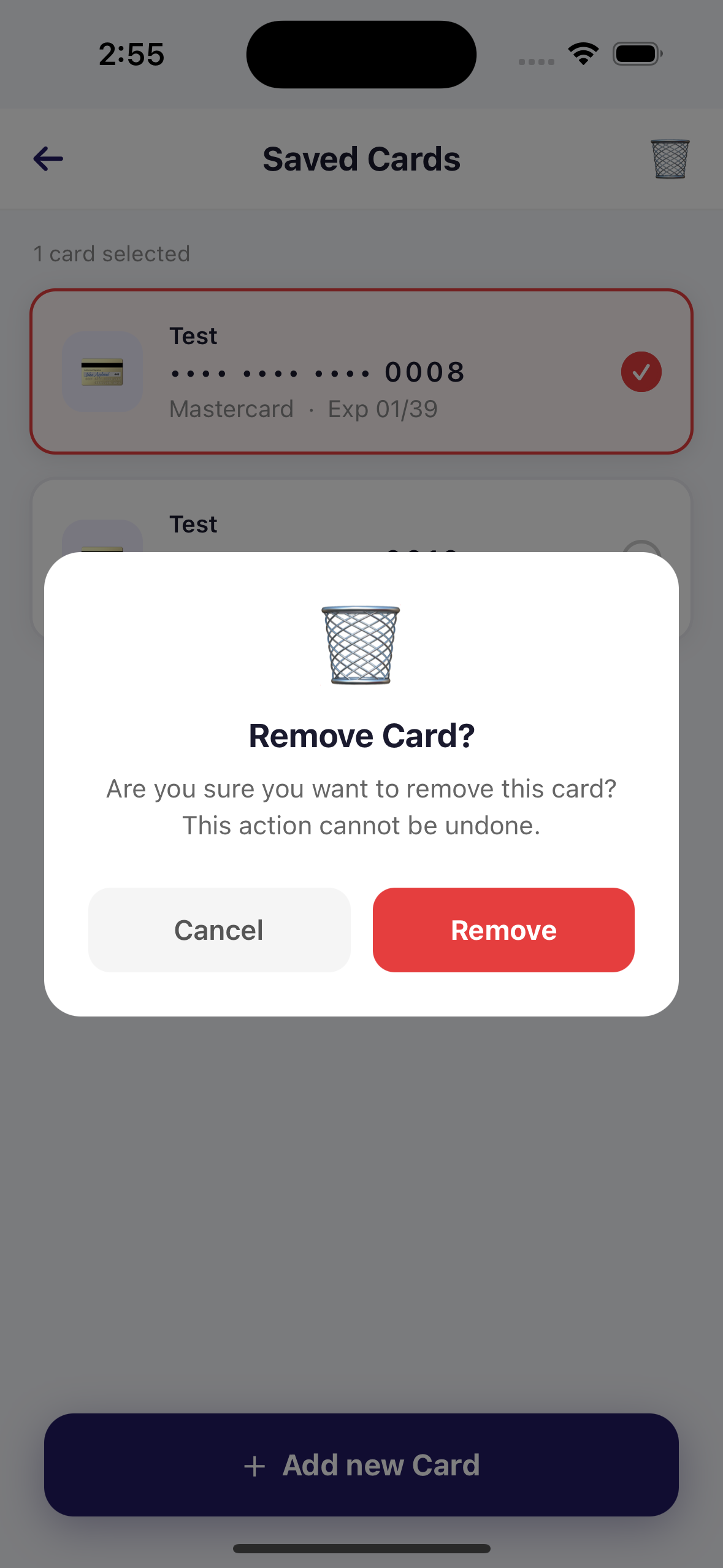
Remove a saved card
Sandbox URL
Below Checkout API strictly for sandbox testing only. Never use these sandbox URLs in production.
Production URL
Use the following Checkout API strictly for production transactions.
DELETE /api/direct-payment/cards/{cardId}Body (before encryption)
{
  "merchantCode": "YOUR_MERCHANT_CODE"
}| Location | Field | Type | Required | Description |
|---|---|---|---|---|
| URL | cardId | Integer | Yes | The card_id from VERIFY or GET /cards |
| Body (encrypted) | merchantCode | String | Yes | Your Hesabe merchant code |
Encrypted request example
DELETE /api/direct-payment/cards/77
accessCode: xxxxxxxx-xxxx-xxxx-xxxx-xxxxxxxxxxxx
Content-Type: application/json

{
  "data": "ENCRYPTED_PAYLOAD"
}{
"status": true,
"code": 200,
"message": "Card removed successfully",
"response": null
}The token is deleted at MPGS first. Only if MPGS confirms deletion is the card deactivated on Hesabe's side. Once removed, any chargeCard call with that card_id will fail with Invalid Request Data.
Error Codes
| HTTP Status | Meaning |
|---|---|
200 | Request processed — check status field for payment outcome |
400 | Invalid request — missing fields, amount ≤ 0, or card not found |
401 | Authentication failed — invalid accessCode or merchantCode mismatch |
422 | Card not eligible for merchant-initiated charge — card was saved before the VERIFY flow was introduced and lacks required 3DS stored-credential metadata. Re-save via a new VERIFY session |
429 | Rate limit exceeded (30 requests / minute) |
500 | Internal error — contact support with the error details |
Common message values on failure
| Message | Cause |
|---|---|
Invalid Request Data | card_id not found, card inactive, or card does not belong to a customer of this merchant |
Card is not eligible for merchant-initiated charge. Please re-save the card. | Card is missing the stored-credential agreement ID — re-run VERIFY |
Insufficient funds | Card declined by issuer |
Do not honour | Card issuer blocked the transaction |
Invalid merchant data provided | Wrong accessCode or merchantCode |
Security Notes
Keep card_id values private
card_id values are integers but should be treated as opaque references. Do not expose them to the end customer.
- Charge Card is server-side only — never call it from a browser or mobile client. Your
accessCodemust stay private. - Each
card_idis scoped to the customer it was saved for. Attempting to charge a card that does not belong to one of your customers returnsInvalid Request Data. - VERIFY stores a 3DS-authenticated stored credential. Charge Card transactions qualify as merchant-initiated transactions under card scheme rules and do not require another 3DS challenge.
- Card data never touches your server. All card input is handled inside Hesabe's hosted form or iframe.
FAQ
Support
For integration support or to enable Direct Payment on your account:
Hesabe Support
Direct Apple Pay
This comprehensive guide will help you integrate your application or platform with Hesabe's Payment Gateway API, supporting multiple integration methods and advanced features.
Embedded Card Checkout
Hesabe Direct Payment lets you embed a secure, hosted payment form on your website without handling card data directly. Card information is entered inside an iframe served from Hesabe's domain, keeping your integration PCI-compliant